The best virtual closet app is the one that helps you get dressed.
A useful iPhone closet makes clothes easy to find, combine, check, and wear.
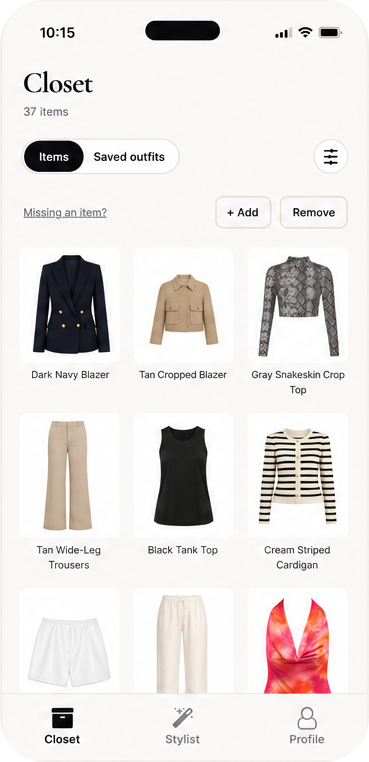
Start by naming the job. You may want a searchable inventory, a packing list, outfit ideas, or an answer at 8 a.m. Those jobs need different screens. For daily dressing, the app has to do more than store photos: it has to help you choose a combination.
Five checks for an iPhone closet
- Fast capture. Add a few pieces at a time so the closet can grow with your week.
- Clear organization. Find a shirt or layer from its image without building a filing system.
- Outfit help. Combine garments into a complete look and include the occasion in the question.
- A visual check. See a try-on or save a reference before changing clothes again.
- A second opinion. Share two close options with friends instead of generating ten more.
Start with ten pieces
Pick two tops, two bottoms, a dress or one-piece, two layers, two shoes, and one wildcard. Ask for outfits for three situations already on your calendar. You will learn more from a real workday, dinner, and travel plan than from uploading fifty pieces at once.
Keep the outfit you can recreate, move in, and find again. A closet earns value when it changes what you wear, not when it contains the most images.
What Outfitr does with the closet
Outfitr lets you upload what you own, ask a stylist for an outfit, see the result on you in a photo, and invite friends to weigh in. The closet gives the recommendation real material; the occasion gives it a useful direction.
Compare that workflow with closet-first outfit planning, read what try-on adds, or return to The Edit.
★ Available now
Make the closet useful.
Start with the clothes you reach for and build from there.
Download Outfitr →