The best outfit planner app depends on the decision.
Pick a planner for the job in front of you: daily dressing, an occasion, travel, or a second opinion.
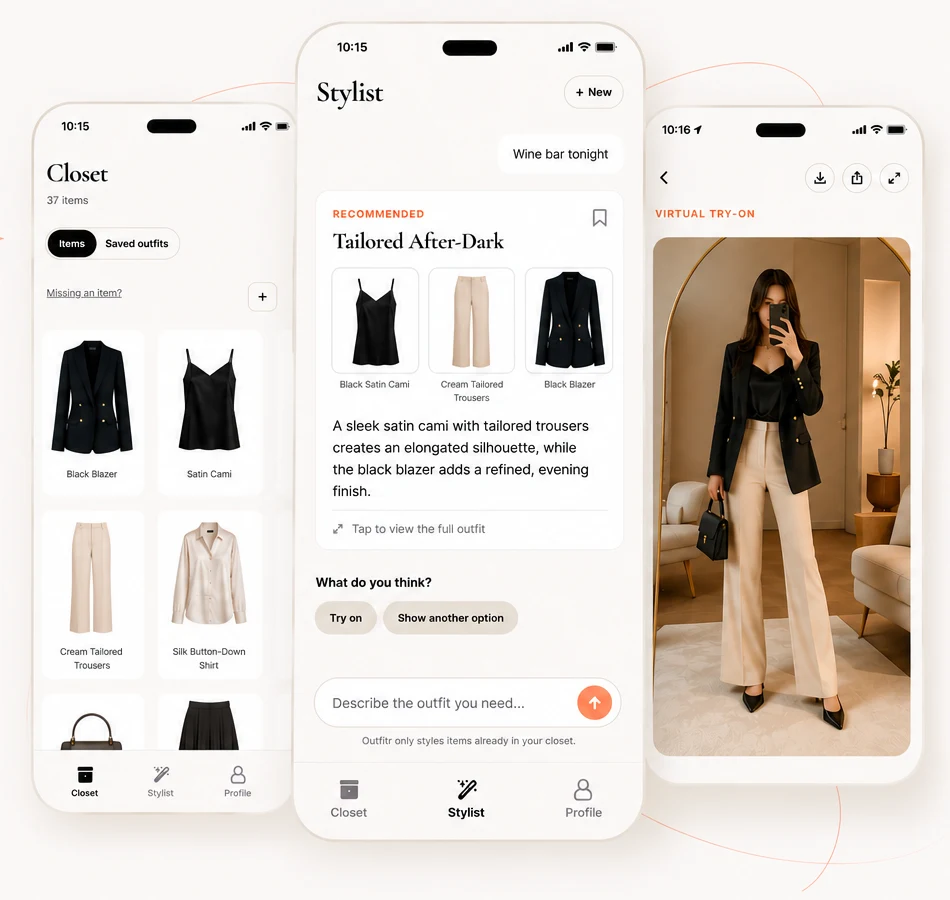
An outfit planner should answer a wardrobe question, not keep you browsing. Start with the decision you need to make, then check whether the app can use your clothes and your context to produce a look you can wear.
Match the planner to the job
Daily decision
Look for fast input, a place to name the day, and a complete outfit. Long setup loses to the morning rush.
Occasion planning
Name the venue or dress code, then check that the recommendation uses what you own.
Travel
Choose pieces that can handle several activities, weather changes, and limited luggage.
Second opinion
When two options are close, a friend poll can settle the choice faster than ten more generated looks.
Make sure the plan leads somewhere
A useful planner lets you see the outfit on you in a photo, save the combination, or share two options with the people whose opinion you want. The final screen should help you get dressed.
Outfitr follows that handoff. Upload what you own, describe the situation, ask the stylist, and review the recommendation on you. Create a poll when the decision is social.
See how to choose a closet-first app, try an occasion example, or return to The Edit.
★ Available now
Plan the outfit, then go.
Use your closet, your context, and a little less morning friction.
Download Outfitr →