An app that styles the clothes you already own should start with the clothes.
Use your wardrobe, the occasion, and one honest constraint to build an outfit you can wear.
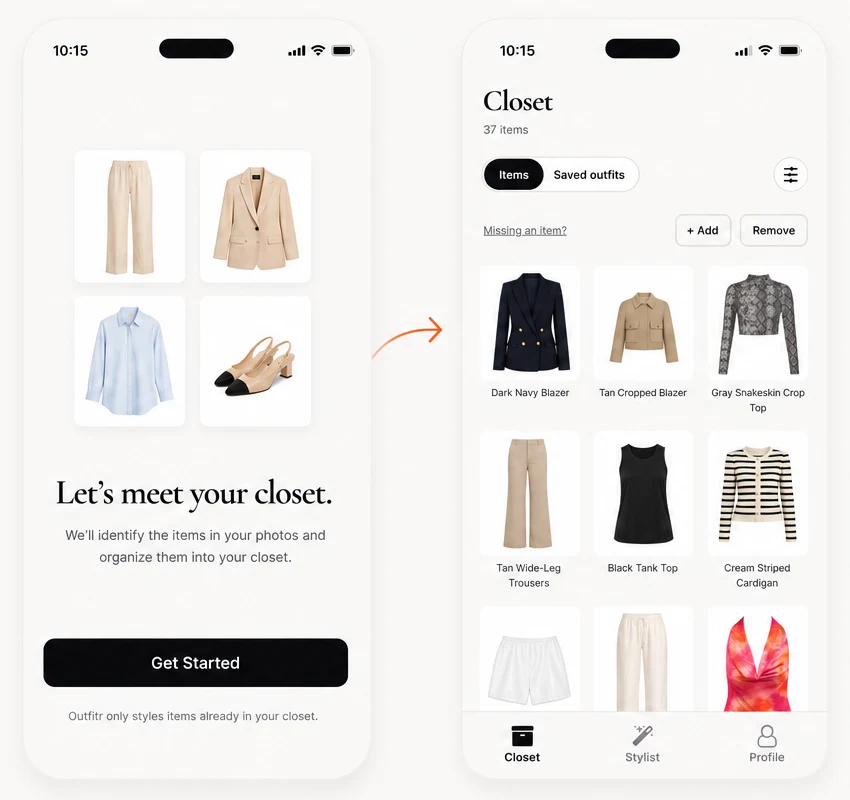
An app that keeps showing new products cannot answer a closet question. For clothes you already own, the input should be your wardrobe and the output should be a complete look for a specific day.
The four-step closet-first method
- Choose the piece. Start with the shirt, trousers, dress, or jacket you want to wear.
- Name the day. Add the venue, weather, dress code, and how much walking or sitting you expect.
- Add one constraint. Mention the shoes you need, the layer you want, or the fact that you are biking there.
- Check the full look. Use a photo preview, save the combination, or ask a friend when two options are close.
Prompts with enough detail
“Use my black dress for a daytime museum visit. I will be walking for two hours.”
“Build two outfits around my white T-shirt for a warm office. Use what I own.”
“Use my loafers for a relaxed dinner. Keep the outfit polished.”
Each prompt gives the stylist a decision to make. “Style me” leaves the venue, comfort, and wardrobe open.
The Outfitr workflow
Outfitr lets you upload photos of yourself or individual garments, describe where you are going, ask the stylist for a recommendation, and see the outfit on you. A poll brings in friends when you want another opinion. Your taste still makes the final call.
Read how to test an AI stylist, try the denim-jacket guide, or visit The Edit.
★ Available now
Style what is already yours.
Your closet is the starting point. The occasion is the prompt.
Download Outfitr →